Best Video Editing Software in 2026: Adobe After Effects Features Compared

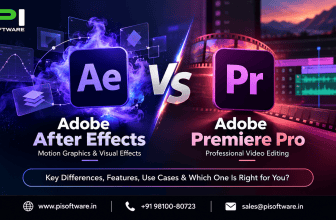
“Best video editing software” is the wrong search for anyone comparing Premiere Pro and After Effects. Consequently, that framing assumes both tools compete for the same job, when they actually solve two different problems. Editing footage — cutting, sequencing, color correction — is Premiere’s job. Building visual effects, motion graphics, and compositing, however, is Adobe After Effects‘ job. Therefore, the real question isn’t which is “better,” it’s which job your project actually needs done.
Video Editing vs. Motion Graphics
Premiere Pro handles the timeline: Cutting clips, sequencing scenes, syncing audio, and exporting a finished edit.
After Effects, meanwhile, handles compositing: layering visual elements, animating graphics, tracking motion, and building effects that don’t exist in the raw footage.
Therefore, a typical After Effects vs Premiere Pro 2026 workflow uses both together — editors cut the story in Premiere, then hand specific shots to a motion designer in After Effects via Dynamic Link, rather than choosing one tool exclusively.
Core Evaluation Criteria for 2026
Evaluating these tools in 2026 means looking beyond raw feature lists toward three practical criteria: rendering and GPU performance for complex composites, team collaboration features for agencies managing multiple motion designers, and commercial licensing value once GST, team plans, and generative AI credits are factored into total cost.
Quick Comparison: After Effects vs. Alternatives
| Tool | Approach | Best for | Ecosystem |
| After Effects | Layer-based compositing | Motion graphics/VFX | Premiere/Dynamic Link |
| DaVinci Resolve/Fusion | Node-based compositing | Color + VFX | Resolve ecosystem |
| Apple Motion | Motion graphics | Mac/Final Cut workflows | Final Cut Pro |
| Blender | 3D + compositing | 3D/VFX/open-source workflows | Standalone |
Core Capabilities: What Sets Adobe After Effects Apart in 2026
Advanced Compositing, Tracking, and Rotoscoping Tools
After Effects’ compositing engine supports multi-layer effects stacking, while its tracking tools follow motion across frames for effects that need to move naturally with footage. Rotoscoping tools, additionally, isolate subjects from backgrounds frame by frame — a task that used to consume hours of manual work.
Native 3D Workspace & Seamless Model Import Workflows
The native 3D workspace allows motion designers to import 3D models directly and composite them alongside 2D elements, without round-tripping through a separate 3D application for every adjustment.
AI-Powered Efficiency
Content-Aware Fill removes unwanted objects across a video sequence intelligently, rather than frame-by-frame manual painting. Roto Brush 3, similarly, dramatically speeds up subject isolation compared to manual rotoscoping. Generative AI Integrations, meanwhile, extend Firefly-powered capabilities into After Effects workflows, though usage draws against the generative credit allocation included in your specific Creative Cloud plan.
Adobe Dynamic Link: Lossless Round-Tripping with Premiere Pro
Dynamic Link lets an editor send a clip from Premiere directly into After Effects for VFX work, then see the update reflected back in Premiere automatically, without a manual export-import cycle. Therefore, this integration is precisely why teams running both tools together see the biggest workflow efficiency gain over using either tool in isolation.
Adobe After Effects CC for Teams: Business-Class Features
Shared Team Projects & Cloud Asset Synchronization
Team Projects let multiple motion designers work from shared, cloud-synced project files, reducing the version-conflict problem that emerges when large After Effects project files get emailed between team members.
Centralized Asset Governance via Creative Cloud Libraries
Shared Creative Cloud Libraries let a creative director publish approved brand assets — fonts, color palettes, templates — once, with every motion designer’s After Effects instance pulling from that governed source instead of maintaining personal, drifting copies.
Admin Console Control: License Reassignment and IP Protection
The Adobe Admin Console gives IT and creative operations leads centralized seat management, instant license reassignment when a freelancer’s contract ends, and organizational ownership of project files that survives staff turnover — none of which individual licenses provide.
Licensing Tiers, Pricing Breakdown & Commercial Terms in India
1.After Effects Single App for Teams
Adobe offers Adobe After Effects as a Single App for Teams license, priced separately from the full Creative Cloud suite, on an annual commitment billed monthly or upfront. Confirm current India pricing with an authorized reseller before budgeting, since Adobe periodically revises rates and often applies different first-year versus renewal pricing.
2.Creative Cloud All Apps vs. Single App
Single App: suitable when a user primarily needs After Effects.
Creative Cloud Pro: relevant when the same users regularly need multiple Adobe applications.
3.Local INR Pricing Advantages and Authorized Reseller Value
Buying through an India-based authorized software reseller avoids international card fees and currency conversion markup that come with purchasing directly through Adobe’s global checkout, while also providing a proper commercial invoice for finance teams.
4.Corporate Tax Benefits
Registered Indian businesses can typically claim Input Tax Credit on the 18% GST charged, but only with a valid commercial GST invoice from an authorized reseller — a benefit unavailable through grey-market or personal-checkout purchases.
Workstation Hardware
Professional After Effects workloads benefit from a capable discrete GPU, adequate RAM, and fast storage for caching and previews. More complex 3D, 4K/8K and multi-layer compositions require additional headroom.
How After Effects Compares with Post-Production Alternatives
After Effects vs. Apple Motion
Apple Motion offers simpler motion graphics tools tightly integrated with Final Cut Pro, but it’s Mac-exclusive and lacks After Effects’ compositing depth and cross-platform Adobe ecosystem integration.
After Effects vs. DaVinci Resolve (Fusion)
Fusion’s node-based compositing appeals to VFX artists who prefer visual node graphs over layer stacks, and its inclusion in DaVinci Resolve/Fusion free tier is genuinely compelling for budget-conscious teams. However, After Effects’ layer-based approach remains more intuitive for motion graphics specifically, and its Dynamic Link integration with Premiere gives Adobe-centric teams a smoother pipeline.
After Effects vs. Blender/Specialized VFX Suites
Blender offers a full 3D and compositing pipeline at no licensing cost, appealing to teams with deep 3D VFX needs and development resources to manage a more complex tool. After Effects, by contrast, suits teams prioritizing motion graphics speed and Adobe ecosystem integration over full 3D pipeline control.
Conclusion
Choosing between Premiere Pro and After Effects isn’t really a choice at all for most professional workflows — it’s a question of which tool handles which part of the job. Premiere cuts the story together; After Effects builds the motion graphics and visual effects that make it look finished. Consequently, the teams getting the most value aren’t debating which tool is “best” — they’re using both, connected through Dynamic Link, and choosing the licensing tier that matches how their designers actually work across both tools.
Getting that licensing decision right, along with GST-compliant procurement, is where most agencies either overpay for unused apps or under-provision a team that needed the full suite from day one.
If you’re evaluating Adobe After Effects or Adobe Premiere Pro price for your studio, agency, or in-house motion design team, request a GST-compliant commercial quote from PI Software — as a reseller software India provider for Adobe, Microsoft, and Autodesk licenses, we scope the right plan for your actual workflow and handle deployment end to end.
Frequently Asked Questions
1. Is After Effects better than Premiere Pro for video editing?
They’re not interchangeable. Premiere handles cutting and sequencing footage; After Effects handles compositing, motion graphics, and VFX. Most professional workflows use both together via Dynamic Link, not one instead of the other.
2. How much does Adobe After Effects cost for teams in India?
Adobe offers After Effects as a Single App for Teams license, priced separately from Creative Cloud Pro, on an annual commitment. Confirm current India pricing with an authorized reseller, since Adobe periodically adjusts rates.
3. Should we buy After Effects alone or Creative Cloud Pro for Teams?
If a user primarily needs After Effects and doesn’t require other Creative Cloud applications, a Single App plan may be more cost-effective. Teams that regularly use multiple Adobe applications should compare the combined Single App cost against Creative Cloud Pro.
4. Can we claim GST input tax credit on After Effects licenses?
Eligible GST-registered businesses may be able to claim Input Tax Credit on the GST paid, subject to applicable GST rules and proper documentation
5. Do generative AI features in After Effects cost extra?
Generative AI features draw against the monthly credit allocation included in your specific Creative Cloud plan tier; usage beyond that allocation is typically billed or throttled, so factor expected usage into plan selection.