3ds Max vs Maya: Which Autodesk Tool Fits Your 3D Work?
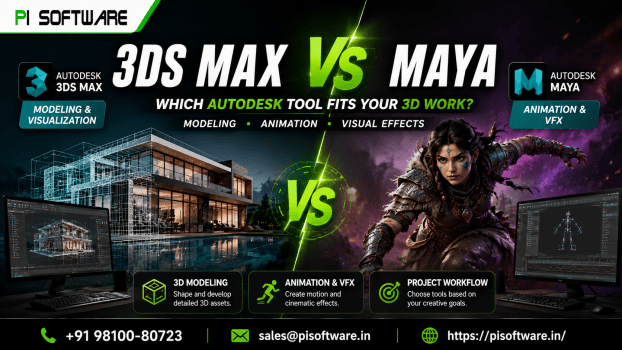
Choose 3ds Max if your work centers on architecture, interiors, product visualization or environment modeling. Choose Maya if characters, rigging, animation, simulation or visual effects lead to your projects. Both 3ds Max vs Maya are professional 3D tools that studios rely on, so the question is less about which is better and more about which matches the work you deliver every week.
Both applications come from Autodesk, and both can model, texture, light and render. Where they split is in their core strengths, their typical pipelines and the kinds of artists who use them daily.
What is 3ds Max best known for?
3ds Max is widely used for architectural visualization, interior design renders, product visuals, environment modelling and game asset creation. Its modelling tools suit hard-surface objects like furniture, fixtures and buildings, and it works well with the scene-setup workflows that architecture teams use.
If your job is turning a floor plan into a photorealistic interior, 3ds Max will feel familiar. Many visualization studios build their whole process around it.
What is Maya best known for?
Maya is the standard for character animation, rigging, simulation and visual effects work in film, television and games. Animators use its rigging and keyframe tools to bring characters to life, and VFX artists use its simulation features for smoke, cloth and crowds.
If you need to animate a character walking through a scene, Maya is usually the first choice.
How do modelling tools compare?
Both applications support polygon modelling, sculpting, and procedural workflows. The difference is in emphasis. 3ds Max 2026 is often preferred for precise architectural geometry and environment work, where clean edges and repeatable layouts matter most. Maya is often chosen for organic forms, such as characters and creatures, where topology and deformation need careful attention.
Neither is limited to what you can model. What changes is how quickly your team can get the results it needs.
How do animation and rendering compare?
Animation is the clearest difference. Maya is the stronger choice for character rigging, skinning, motion editing, and complex simulation. 3ds Max handles animation too, especially for architectural walkthroughs, camera movements and simple object motion.
Both work with Autodesk’s Arnold renderer, which means you can keep a similar lighting and shading approach across tools. Many studios also use third-party renderers, so check which ones your pipeline needs before you commit.
Which one is easier to learn?
Neither is a beginner-only application. Both are professional tools with deep feature sets, and the learning curve depends mostly on your background. An architect who already knows CAD may find 3ds Max’s layout familiar. An artist with a drawing or sculpting background may progress faster in Maya’s character tools.
Plan for several weeks of regular practice before you’re comfortable on a real project, and expect the specialist tools to take longer.
What hardware do you need?
Both applications need a capable workstation, with enough memory and a graphics card that handles viewport work and rendering. Requirements change with each release, so check Autodesk’s system requirements for the version you plan to install before you buy hardware. Plan storage for project files, cache, and render output as well.
Which one should you choose?
| Your main work | Better starting point | Why |
| Architectural visualization, interiors | 3ds Max | Strong architectural modelling and scene workflows |
| Product and environment rendering | 3ds Max | Clean geometry and repeatable setups |
| Character animation and rigging | Maya | Rigging, skinning and motion tools |
| Simulation and visual effects | Maya | Built for complex simulation and VFX pipelines |
| Game assets (mixed work) | Depends on your pipeline | Check what your engine and team already use |
Do you need one application or both?
Many studios need only one. A visualisation studio that produces stills may never open Maya, and an animation team focused on characters may never need 3ds Max. Both applications become useful together when a project spans architecture and animation, for example an animated walkthrough with characters, or a film that includes large environments. Decide based on your projects, not on what sounds more complete.
How does licensing affect the decision?
Autodesk subscriptions price are assigned to named users, so each person who needs the software needs their own licence. Autodesk Flex offers a token-based option for occasional use, and the two can be combined. If your team includes freelancers or shift workers, talk through the options first, since the right mix can change your total cost.
Conclusion:
3ds Max and Maya are both excellent, and the right choice depends on what you create. Architectural and interior visualisation points toward 3ds Max. Compare both autodesk maya price and 3ds Max software price for Character animation, rigging and VFX points. Many studios use only one, and the best decision is the one that fits your projects over the next year.
If you’re ready to choose, request a quote from PI Software. Share your workflow and team size for 3ds max software price, and we’ll help you pick up the right Autodesk software and licence.
Frequently asked questions
1. Is 3ds Max better than Maya for architecture?
For most architectural visualisation work, 3ds Max is the more common choice, because its modelling and scene workflows suit buildings and interiors. Maya can also be used for architecture, but it’s less typical for that work.
2. Is Maya better than 3ds Max for animation?
For character animation, rigging, and simulation, Maya is the standard choice in film and games. 3ds Max handles animation well for architectural walkthroughs and simple motion.
3. Can I learn both?
Yes, and many artists do. The skills transfer well, since both use similar concepts for modelling, materials, and lighting. Learn the one that matches your current work first.
4. Does either application suit beginners?
Both are professional tools with steep learning curves. Beginners can start with either, but they should expect regular practice and structured learning.
5. How do I get the right licence in India?
Request a quote from PI Software, which sells genuine Autodesk licenses with GST invoicing. Tell them your team size, the work you do and whether you need occasional access.