
Adobe Lightroom Price in India: Lightroom vs Photography Plan for Photographers and Studios
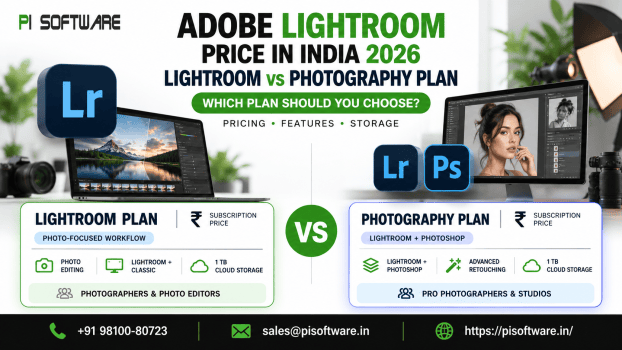
If you’re researching the Adobe Lightroom price in India, choosing the right subscription starts with understanding your photography workflow.
Adobe offers a Lightroom plan for photographers who primarily edit, organize and manage images, and a Photography Plan that adds Photoshop for more advanced image manipulation and retouching. Both include Lightroom Classic, cloud storage, and AI-powered editing capabilities.
The real question is whether Lightroom already everything does you need or whether having Photoshop alongside it would make your work easier.
Adobe Lightroom vs Photography Plan: Which Should You Choose?
For most photographers, the decision comes down to the kind of editing they do after importing their photographs.
If your work mainly involves adjusting exposure, correcting colors, applying presets and managing large photo libraries, the Lightroom plan may be enough.
If you frequently create composites, retouch portraits in detail or perform complex image manipulation, the Photography Plan offers a more complete editing workflow.
| Your photography needs | Recommended plan | Why it fits |
| Everyday photo editing and organization | Lightroom | RAW editing, presets and photo management |
| Wedding and event photography | Lightroom or Photography Plan | Batch editing, organization and optional advanced retouching |
| Professional portrait photography | Photography Plan | Lightroom adjustments with Photoshop retouching |
| Ecommerce product photography | Photography Plan | Detailed product editing, backgrounds and composites |
| Travel and mobile photography | Lightroom | Editing and syncing across devices |
| Photography studios with multiple editors | Appropriate Adobe business licensing | Individual user access and centralized administration where needed |
The takeaway: Choose Lightroom for efficient photo editing and organization. Choose the Photography Plan when Photoshop is an essential part of your regular work.
What Is Included in the Adobe Lightroom Plan?
The Adobe Lightroom Plan includes Lightroom for desktop, mobile, and web, Lightroom Classic, 1 TB of cloud storage, and a monthly allocation of generative AI credits.
RAW Photo Editing
Lightroom supports RAW image processing with non-destructive adjustments. The original image remains unchanged while editing settings are applied separately.
Key editing capabilities include:
- Exposure and contrast adjustments
- White balance and color temperature correction
- Highlights and shadows recovery
- Color grading and tone adjustments
- Lens correction and image sharpening
- Cropping and composition adjustments
These features support image processing without permanently changing the original files.
Batch Photo Editing
Lightroom supports editing multiple photographs using shared adjustment settings.
Available capabilities include:
- Copying and pasting image adjustments
- Synchronizing settings across photographs
- Applying presets to multiple images
- Maintaining consistent color and exposure
- Processing large photo collections
Batch editing is particularly relevant to wedding, event, and commercial photography workflows involving large numbers of images.
Photo Organization and Management
- Lightroom includes tools for managing and locating photographs within image libraries.
- Its organizational features include albums, image ratings, search capabilities, and project-based collections.
- Lightroom Classic additionally supports desktop-based catalog management, making it suitable for workflows that prioritize locally stored image collections.
Cloud Storage and Device Access
The Lightroom Plan includes 1 TB of cloud storage and supports editing across desktop, mobile, and web applications.
Cloud-connected workflows provide access to synchronized image libraries and editing adjustments across compatible devices.
What Does the Adobe Photography Plan Include?
The Adobe Photography Plan combines Lightroom, Lightroom Classic, and Photoshop within one subscription.
It supports workflows that require both standard photographic adjustments and advanced image manipulation.
Lightroom and Lightroom Classic
Lightroom applications provide functionality for RAW processing, color correction, photo organization, presets, and batch adjustments.
Lightroom Classic emphasizes desktop-based editing and local catalog management.
Adobe Photoshop
Photoshop adds advanced editing functionality beyond Lightroom’s standard photography tools.
Its capabilities include:
- Layer-based image editing
- Detailed portrait and skin retouching
- Complex object removal
- Background replacement and refinement
- Combining elements from multiple images
- Advanced masking and selections
- Creative image manipulation and compositing
The Photography Plan supports workflows where photographs are initially processed in Lightroom and subsequently refined using Photoshop.
Adobe Lightroom AI Features
Adobe Lightroom includes AI-assisted tools designed to automate selected editing operations and improve the efficiency of targeted adjustments.
Generative Remove
Generative Remove uses AI to remove unwanted image elements and generate replacement content for affected areas.
It supports the removal of background distractions, unwanted objects, and other visual elements.
AI-Powered Masking
AI-assisted masking enables the selection of specific image regions for localized adjustments.
Supported editing operations include selecting subjects, separating backgrounds, and adjusting identified areas without changing the entire photograph.
Adaptive Presets
Adaptive presets apply targeted adjustments using intelligent image analysis.
They help maintain consistent editing styles and reduce repetitive adjustment work across photo collections.
Generative AI Credits
- Lightroom and Photography subscriptions include monthly allocations of generative AI credits.
- The Photography Plan provides a higher credit allocation than the standalone Lightroom Plan.
- Credit consumption depends on the eligible AI feature and the applicable Adobe price guide and subscription terms.
Which Adobe Photography Plan Is Best for Different Professionals?
Different photography businesses need different combinations of editing tools.
Wedding and Event Photographers
Wedding photography often involves large image collections, changing lighting conditions, and consistent editing across an entire event.
Lightroom Classic can be particularly useful for managing local catalogues and batch-processing photographs.
If your workflow also involves detailed skin retouching, object removal, or creative composites, the Photography Plan provides Photoshop alongside Lightroom.
Portrait Photographers
Portrait photography frequently requires more precise adjustments to skin, hair, clothing, and backgrounds.
Lightroom handles color correction, lighting adjustments, and initial retouching.
For more complex work, Photoshop offers layer-based editing and advanced retouching tools.
Photographers specializing in detailed portraits may therefore benefit from the Photography Plan.
Product and Ecommerce Photographers
Product photography requires consistent presentation.
Images often need clean backgrounds, matching colors, accurate product details and formats suitable for ecommerce websites.
Lightroom can help maintain consistent color and exposure across product collections.
Photoshop becomes particularly useful when creating composites, refining product edges, or preparing advertising graphics.
For photographers handling demanding product-editing projects, the Photography Plan may be the stronger choice.
Travel and Hobby Photographers
Not every photographer needs complex editing software.
If you mainly edit travel photographs, personal projects or occasional client images, Lightroom may provide everything you need.
Its mobile and cloud-connected workflow is particularly convenient when you work away from your main computer.
Is Adobe Lightroom Suitable for Multi-Photographer Studios?
Yes, but a studio should think beyond editing features when selecting licenses.
A photography studio with several editors needs to consider user access, file storage, project handovers and software administration.
Adobe offers business licensing options, including Lightroom for teams, with additional organizational features.
These business plans differ from individual Photography subscriptions.
Conclusion:
The right choice depends on how you edit photographs, not simply how many tools a subscription includes.
Choose Lightroom if you primarily work with RAW images, color correction, presets, photo organization and everyday editing.
Choose the Photography Plan if Photoshop is an important part of your workflow, particularly for detailed portrait retouching, complex product photography and creative image manipulation.
Request a Quote from PI Software and share your editing requirements, preferred applications and number of users. Our team can help you evaluate the Adobe licensing options best suited to your work.
Frequently Asked Questions
1. What is the difference between Lightroom and the Photography Plan?
The Lightroom plan includes Lightroom, Lightroom Classic, and cloud storage. The Photography Plan adds Photoshop and provides a larger monthly allocation of generative AI credits.
2. Does Adobe Lightroom include Photoshop?
No. The standalone Lightroom plan does not include Photoshop. Photographers who need both applications can choose the Photography Plan.
3. Is Lightroom Classic included with Lightroom?
Yes. Adobe’s current Lightroom plan includes Lightroom Classic, which is designed for desktop-focused photo editing and local catalogue management.
4. Is Adobe Lightroom suitable for wedding photography?
Yes. Lightroom and Lightroom Classic support RAW editing, batch adjustments, color correction and large photo-library organization, making them useful for wedding workflows.
5. Can I edit RAW photos in Adobe Lightroom?
Yes. Adobe Lightroom supports RAW photo editing from a wide range of compatible cameras, allowing photographers to adjust exposure, color and image details non-destructively.