Enscape Solo vs Premium vs Collection 2026: Which Plan Should You Buy?
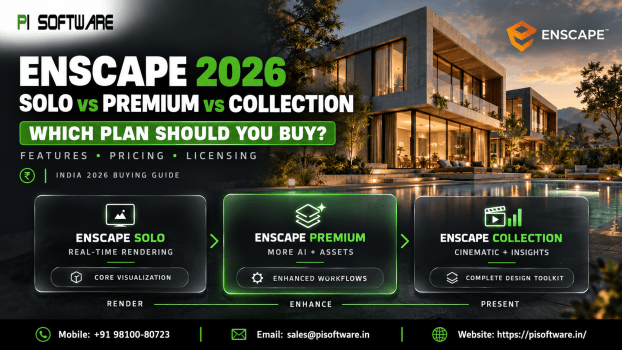
You’re working on an architectural project, the client wants realistic walkthroughs, and your team needs faster ways to communicate design ideas. You’ve decided on Enscape, but now comes another question: Should you choose Enscape Solo, Premium or Collection?
All three plans support real-time visualization, but they differ in AI capabilities, asset libraries, and advanced presentation tools.
This Enscape Solo vs Premium vs Collection 2026 guide explains those differences, helps you match each plan to your workflow and shows what to consider before requesting an Enscape license in India.
What Is Chaos Enscape, and Why Does It Matter for Architects?
Chaos Enscape is a real-time rendering and visualization solution that helps architects, interior designers, and building professionals explore designs while working.
It integrates with popular design applications, including SketchUp, Revit, Rhino, ArchiCAD and Vector works, subject to supported versions and operating systems.
Instead of waiting until the final presentation stage, designers can use Enscape to:
- Visualize Designs Instantly: Explore materials, lighting and spaces in real time.
- Create Client Walkthroughs: Communicate layouts and design concepts more clearly.
- Improve Design Reviews: Evaluate alternatives before making major changes.
- Use Render-Ready Assets: Add furniture, vegetation, people, and other contextual objects.
- Share Visual Experiences: Present design ideas through supported collaboration and viewing tools.
Enscape Solo vs Premium vs Collection: Key Differences
| Feature | Enscape Solo | Enscape Premium | Enscape Collection |
|---|---|---|---|
| Real-time rendering | Included | Included | Included |
| Cloud collaboration | Included | Included | Included |
| Veras AI | Included | Included | Included |
| Render-ready assets | Core library | Expanded library | Largest library |
| Monthly Chaos AI credits | 100 | 500 | 1,500 |
| Cinematic animation and scene assembly | Not included as Collection tools | Not included as Collection tools | Included |
| Sustainability insights | Not included as Collection tools | Not included as Collection tools | Included |
| Ideal user | Individual designers | AI-focused design teams | Advanced visualization studios |
1. Enscape Solo:
Enscape Solo is designed for architects and designers who primarily need reliable real-time visualization.
It provides the core Enscape rendering engine alongside cloud collaboration, render-ready assets, and access to Veras AI.
What makes Enscape Solo useful?
- Real-Time Design Exploration: Review visual changes while developing your model.
- Core Asset Library: Add relevant objects to architectural scenes.
- Client Presentations: Create visualizations that communicate design intent.
- AI-Assisted Exploration: Use the AI capabilities and credits included in the plan.
- Named-User Access: Suitable for an individual professional using an assigned license.
2. Enscape Premium:
Enscape Premium license builds on Solo by expanding the available asset library and providing additional Chaos AI credits.
Why consider Enscape Premium?
- Expanded Asset Library: Access a wider selection of render-ready content.
- More AI Credits: Run additional supported AI-assisted creative operations.
- Design Exploration: Experiment with alternative visual directions.
- Presentation Flexibility: Develop more varied architectural scenes.
- Familiar Workflow: Continue using Enscape’s real-time rendering environment.
3. Enscape Collection:
Enscape Collection is the most comprehensive of the three options. Chaos has also renamed its former Arch Design Collection offering to Enscape Collection.
What does Enscape Collection add?
- Cinematic Animation: Develop more sophisticated architectural presentations.
- Scene Assembly: Build richer visual environments for storytelling.
- Sustainability Insights: Explore supported early-stage building performance information.
- Larger Asset Library: Access additional content for detailed visual scenes.
- Expanded AI Usage: Receive a larger monthly allocation of Chaos AI credits.
Before choosing Enscape Collection, verify that your hardware supports the additional applications. Certain tools, including Envision and Enscape Impact, have specific Windows and graphics requirements.
Which Enscape Plan Is Best for Your Workflow?
| Your requirement | Plan to consider |
|---|---|
| Regular architectural walkthroughs | Enscape Solo |
| Real-time SketchUp or Revit rendering | Enscape Solo |
| Frequent AI-assisted design exploration | Enscape Premium |
| Wider asset selection for interior projects | Enscape Premium |
| Cinematic architectural presentations | Enscape Collection |
| Advanced scene assembly and sustainability tools | Enscape Collection |
Enscape Price in India: What Should You Consider Before Buying?
When comparing Enscape price in India, avoid deciding based only on the first subscription quotation.
Several factors influence the right licensing arrangement:
- Number of Users: Determine how many designers need access.
- License Type: Compare named user and available floating license arrangements.
- Subscription Duration: Confirm the currently offered terms.
- AI Usage: Estimate how frequently your team will consume Chaos AI credits.
- Hardware Compatibility: Check GPU, VRAM and operating system requirements.
- Renewal Planning: Understand future subscription and upgrade requirements.
Conclusion:
The right Enscape subscription should support your design process without adding unnecessary complexity.
Enscape Solo is a practical starting point for everyday rendering. Premium adds more assets and AI flexibility, while Collection supports advanced visualization, cinematic presentations and additional design capabilities.
Before purchasing, compare your team’s projects, software requirements, and licensing needs.
Ready to choose the right Enscape license for your architecture or interior design studio?
Request an updated Enscape licence quote from PI Software for exploring genuine Chaos Enscape licensing options with PI Software suited with your requirements. and find the right solution for your creative workflow.
Frequently Asked Questions
1. What is the difference between Enscape Solo and Premium?
Enscape Premium includes the core functionality of Solo but provides a larger asset library and more Chaos AI credits. It suits designers who frequently use AI-assisted workflows and additional visual assets.
2. Is Enscape Collection worth it for architects?
Enscape Collection is worth considering when your projects require cinematic animations, advanced scene assembly or supported sustainability insights. For standard walkthroughs, Solo or Premium may be sufficient.
3. Which Enscape subscription is best for SketchUp users?
Enscape Solo is a practical starting point for SketchUp users focused on real-time rendering. Premium and Collection become relevant when additional AI, asset or presentation capabilities are needed.
4. How can I check Enscape price in India?
You can request an updated quotation from PI Software based on your preferred plan, number of users, and subscription requirements. Confirm applicable GST and license terms before purchasing.
5. Can multiple designers use one Enscape license?
It depends on the license type. Named-user licenses are assigned to individuals, while eligible floating licenses support shared access subject to concurrent-use limits and Chaos’s current terms.