After Effects vs Premiere Pro for Social Media Graphic Designers: Which Do You Need?
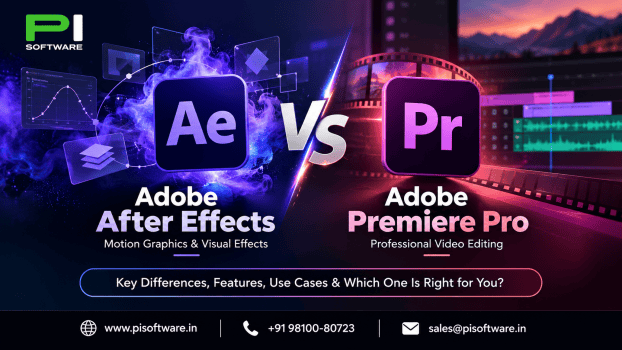
Adobe Premiere Pro is better for editing Instagram Reels, YouTube Shorts and promotional videos, while Adobe After Effects is better for animated graphics, kinetic typography, logo reveals and visual effects. If you primarily edit footage, choose & buy Adobe Premiere Pro. If you create custom animation, choose After Effects. For projects combining both, using the two applications together offers greater creative flexibility.
For social media graphic designers, choosing between After Effects vs Premiere Pro depends on the content you produce, your editing workflow and the creative skills you want to develop.
Both applications are part of Adobe’s professional creative software ecosystem, but they serve different purposes.
After Effects vs Premiere Pro: What are the main differences?
Premiere Pro focuses on assembling complete videos, whereas After Effects specializes in animation, compositing and visual effects.
| Feature | Premiere Pro | After Effects |
| Main purpose | Video editing | Motion graphics and visual effects |
| Instagram Reels and Shorts | Best for editing footage | Best for animated content |
| Animated text | Titles and motion templates | Advanced custom text animation |
| Logo animation | Simple animations and templates | Detailed logo reveals |
| Audio editing | Advanced audio-editing tools | Basic audio capabilities |
| Learning curve | Easier for basic video editing | More complex for beginners |
Quick recommendation: Choose the application according to the work you perform most often, not simply the number of features available.
Adobe describes Premiere as a video editor with audio, caption and graphics capabilities, while After Effects focuses on animation and compositing.
What is Adobe Premiere Pro best used for?
Adobe Premiere Pro, now presented as Adobe Premiere on Adobe’s current product pages, is primarily designed for editing video footage into polished, complete videos.
For social media graphic designers, it is useful for:
- Instagram Reels: Combine footage, music, captions and transitions.
- YouTube Shorts: Trim clips, adjust pacing, and prepare vertical videos.
- Product promotions: Edit demonstrations with branding and sound.
- Client testimonials: Arrange interviews and improve audio.
- Brand campaigns: Combine multiple video clips into advertisements.
Premiere provides timeline editing, color correction, sound mixing, captioning, and export tools. It also supports animated titles and motion graphics templates.
What are the advantages and limitations of Premiere Pro?
Advantages
- Convenient for projects containing multiple video clips.
- Strong audio-editing and captioning tools.
- Efficient for routine social media video production.
- Supports ready-made motion graphics templates.
Limitations
- Less specialized for complex character and shape animation.
- Advanced kinetic typography may require more effort than in After Effects.
- Detailed compositing is generally better handled in a dedicated motion design application.
Premiere Pro is usually the more practical option if your daily work involves editing recorded footage.
What is Adobe After Effects best used for?
Adobe After Effects is designed for motion graphics, animation and visual effects. It allows designers to control the movement and appearance of text, shapes, illustrations, and other graphic elements.
For social media designers, common uses include:
- Animated social posts: Convert static campaign designs into motion graphics.
- Logo reveals: Animate brand identity for advertisements and videos.
- Kinetic typography: Create moving text synchronized with narration or music.
- Motion posters: Animate graphics, headlines, and promotional content.
- Visual effects: Composite elements and create custom transitions.
After Effects supports keyframes, masks, motion tracking, expressions and detailed layer animation.
What are the advantages and limitations of After Effects?
Advantages
- Extensive control over custom animation.
- Suitable for animated typography and branding.
- Useful for complex compositing and visual effects. Integrates with other Adobe design applications.
Limitations
- Requires more time to learn advanced animation techniques.
- Less convenient for editing videos containing numerous clips.
- Complex compositions can demand substantial computer resources.
If you already create graphics in Photoshop or Illustrator and want to animate your designs, After Effects is a natural application to learn.
Which app is better for Instagram Reels and YouTube Shorts?
Premiere Pro is generally better for footage-based Reels and Shorts, while After Effects is better for animation-led content.
For example, consider two different Instagram campaigns.
Example 1: A clothing brand promotional Reel
The project requires product footage, music, captions and several cuts. Premiere Pro is better suited to assembling and editing the finished video.
Example 2: An animated product launch announcement
The project involves moving text, animated shapes, a logo reveal, and graphic transitions. After Effects provides more detailed animation controls.
For advertisements involving both filmed footage and custom graphics, the two applications can complement each other.
Is Premiere Pro easier to learn than After Effects?
Premiere Pro is generally easier for beginners interested in video editing because its timeline-based workflow is straightforward.
A basic Premiere workflow involves:
- Importing footage.
- Arranging clips on the timeline.
- Adding captions, transitions, and music.
- Adjusting color and audio.
- Exporting the finished video.
After Effects requires learning additional animation concepts such as keyframes, compositions, parenting, masks and the Graph Editor.
However, the better starting point depends on your career goals.
- Aspiring video editor: Learn Premiere Pro first.
- Motion graphic designer: Start with After Effects.
- Social media creative professional: Learn the fundamentals of both as your projects demand.
Can you use After Effects and Premiere Pro together?
Yes. Adobe supports workflows that combine Premiere and After Effects through Dynamic Link.
A typical workflow involves:
- Edit in Premiere Pro: Organize footage, audio and overall timing.
- Animate in After Effects: Create motion graphics, logo reveals or visual effects.
- Finish in Premiere Pro: Integrate the animated elements and export the final video.
Dynamic Link allows supported After Effects compositions to appear in Premiere without manually rendering every revision. Adobe recommends using matching major application versions for compatibility.
Using both applications is particularly useful for advertising agencies, freelance designers, and content teams producing branded video campaigns.
However, purchasing both is unnecessary if one application already covers your regular work.
Which Adobe subscription should you choose in India?
Adobe provides standalone applications for multi-app Creative Cloud and eligible Adobe After Effects subscriptions plans.
Standalone subscriptions may suit individuals who primarily use Premiere or After Effects.
Creative Cloud multi-app plans may suit designers who regularly work with both applications alongside Photoshop, Illustrator and other creative software. Exploring Creative Cloud Pro for teams cost is worth considering for businesses requiring centralized license administration and employee access management.
Adobe’s India catalogue currently lists single-app and multi-app plans, including Creative Cloud Standard and Creative Cloud Pro for eligible business customers. Exact entitlements vary by plan.
What mistakes should designers avoid when choosing Adobe software?
Avoid these common purchasing and workflow mistakes:
- Choosing After Effects for routine editing when Premiere is more convenient.
- Expecting Premiere Pro to offer every advanced animation feature of After Effects.
- Buying both applications without assessing actual project requirements.
- Ignoring hardware specifications for motion graphics and high-resolution footage.
- Assuming all Creative Cloud plans include identical applications and services.
- Overlooking subscription commitments and employee license management.
The right software should fit the content you deliver, rather than introduce unnecessary steps into your production process.
What mistakes should designers avoid when choosing Adobe software?
Avoid these common purchasing and workflow mistakes:
- Choosing After Effects for routine editing when Premiere is more convenient.
- Expecting Premiere Pro to offer every advanced animation feature of After Effects.
- Buying both applications without assessing actual project requirements.
- Ignoring hardware specifications for motion graphics and high-resolution footage.
- Assuming all Creative Cloud plans include identical applications and services.
- Overlooking subscription commitments and employee license management.
The right software should fit the content you deliver, rather than introduce unnecessary steps into your production process.
Where can you buy genuine Adobe Premiere Pro and After Effects licences in India?
PI Software helps freelancers, graphic designers, creative agencies and businesses choose genuine Adobe software licences according to their requirements.
Whether you edit social media videos, create animated advertisements, or manage a creative team, PI Software can help you identify the appropriate Adobe licensing option.
Explore Adobe software solutions at PI Software or request a quotation for assistance selecting Premiere Pro, After Effects or a suitable Creative Cloud plan.
Frequently asked questions
1. Is After Effects better than Premiere Pro for graphic designers?
After Effects is generally better for custom motion graphics and animation. Premiere Pro is more suitable for designers whose work primarily involves editing recorded video.
2. Can I create Instagram Reels using After Effects?
Yes. After Effects can create animated Reels, promotional graphics and motion-based social posts. Premiere Pro is usually more convenient when the Reel contains multiple video clips and audio tracks.
3. Can Premiere Pro create animated text?
Yes. Premiere supports animated titles, keyframes and motion graphics templates. After Effects offers more specialized controls for complex typography animation.
4. Do I need both After Effects and Premiere Pro?
Not necessarily. Choose Premiere Pro for regular video editing, After Effects for custom motion graphics, or both when your workflow consistently requires both capabilities.
5. Which software is better for beginners?
Premiere Pro is generally easier for beginners to learn video editing. After Effects involves additional animation concepts, although graphic designers may already be familiar with layers and composition.