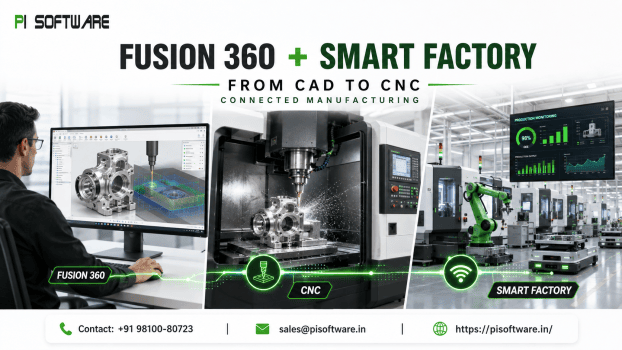
Fusion 360 for Manufacturing: Connecting CNC & Smart Factory Workflows
Most manufacturing managers looking to speed up CNC production start in the wrong place. They look at spindle speeds, toolpath strategies, or post-processor tweaks. But if you trace any late shipment or its root cause, it rarely started on the shop floor. It started upstream in a CAD file that didn’t match the CAM setup, a design revision that never reached the programmer, or a simulation step that got skipped because the deadline was tight.
The fastest CNC workflow isn’t built by programming machines faster. It’s built by closing the data gap between design and production before a single toolpath is generated.
The core idea behind Autodesk Fusion 360 as a connected design-to-manufacturing platform — and it’s the piece most conversations about “smart manufacturing” leave out.
The Real Cost of Disconnected CAD/CAM
CNC delays often come from re-importing geometry, resolving tolerance issues, rebuilding toolpaths after design changes, and manually communicating revisions between design and production.
This disconnection shows up as:
- Programming errors from working off outdated or exported (rather than live) CAD geometry
- Production delays waiting on design clarifications that should have been resolved before release
- Rework and scrap when a toolpath is generated against a part revision that’s already obsolete
- Limited shop-floor visibility, where plant managers can’t see which jobs are stuck in the design-to-production handoff versus stuck in actual machining
What “Connected” Actually Means in Fusion 360
- One source of truth: Design changes remain connected to manufacturing data.
- Integrated CAD/CAM: Toolpaths are created from native geometry instead of exported files.
- Simulation before machining: Potential collisions and inefficient paths can be identified before production.
- Cloud collaboration: Design and manufacturing teams can work from the same current project data.
Buying More CAM Software Won’t Fix This
Buying a more powerful CAM package will not automatically fix a broken workflow. If CAD and CAM remain disconnected, teams can still work from outdated geometry and rely on manual handoffs. Fusion’s advantage is not simply faster for CAM programming—it is reducing the touchpoints between design changes and manufacturing instructions.
Takeaways
- Audit handoff points: Identify every place where CAD data is exported, transferred, or manually updated.
- Make simulation standard: Verify toolpaths before machining, especially when material or machine time is expensive.
- Reduce translation steps: Where possible, keep design and CAM programming connected to the same source of geometry.
Getting Fusion 360 Right for Your Shop
Adopting Autodesk Fusion 360 isn’t just a software upgrade—it’s a workflow transformation. From determining whether your parts require advanced multi-axis extensions to migrating existing tool libraries and post-processors, how you structure your deployment directly impacts your shop floor’s ROI.
When evaluating Autodesk software licensing and pricing in India, working with an authorized Autodesk reseller ensures you don’t overspend on redundant licenses or leave critical machining capabilities on the table.
PI Software works directly with Indian discrete manufacturers, automotive tier suppliers, and toolrooms to:
- Audit CAD/CAM Handoffs: Pinpoint the exact handoff points where manual data exports and revision mismatches are costing your programmers time and causing scrap.
- Optimize Licensing & Extensions: Select the right Fusion 360 configuration—from standard 2.5- and 3-axis milling to dedicated multi-axis and automated probing extensions—tailored to your machine capacity.
- Streamline CAM Onboarding: Assist your CNC programming team with tool library migration, custom post-processor setup, and workflow integration without halting live production.
- Build an Integrated Autodesk Ecosystem: Connect your product design, simulation, and manufacturing workflows across AutoCAD, Inventor, and Fusion 360 for seamless cross-team collaboration.
Explore PI Software’s full range of Autodesk products and manufacturing solutions or see how connected workflows apply across product design and engineering use cases.
Frequently Asked Questions
1. What is the Fusion Manufacturing Extension?
The Fusion Manufacturing Extension adds advanced manufacturing capabilities for complex CNC machining, including advanced multi-axis workflows, automation, inspection and probing features, nesting, and other manufacturing functions.
2. Can Fusion reduce CNC programming time?
The actual results depend on part complexity, existing workflows, programmer experience, and implementation. However, Autodesk customer examples have reported significant improvements, including CAM programming improvements of 50% to 100% in one precision manufacturing case.
3. Does Autodesk Fusion help reduce machining errors?
Connected CAD/CAM workflows, simulation, standardized manufacturing processes, and improved control of design changes can help reduce opportunities for manual translation and programming errors.
4. Where can I buy Autodesk Fusion in India?
Businesses can purchase Autodesk software through authorized channels and Autodesk partners. PI Software can help organizations understand available Autodesk products, licensing requirements, and which Fusion manufacturing workflow may fit their CNC and engineering requirements.
5. Can Fusion 360 simulate toolpaths before running them on a CNC machine?
Yes. Built-in toolpath verification and machine simulation let programmers check for collisions, inefficient movements, and stock issues before cutting real material — particularly valuable when machining expensive alloys.