How SketchUp Is Becoming the Fastest Concept-to-Client Presentation Platform
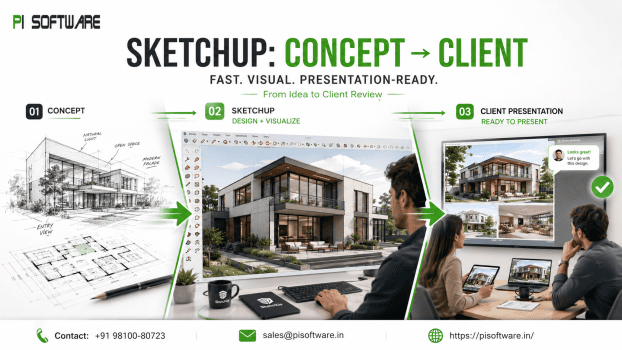
In most design firms, the bottleneck isn’t modeling speed — its approval speed. A concept can be technically excellent and still stall a project for weeks if the client can’t visualize it clearly enough to sign off. The firms’ winning projects and hitting timelines aren’t necessarily producing the most detailed models; they’re the ones getting clients a confident “yes” fastest.
The fastest design software is often the one that gets client approval first — not the one with the most features. SketchUp has evolved specifically around that reality: from a 3D modeling tool into a connected concept-to-presentation platform spanning SketchUp Pro, LayOut, Trimble Connect, AI-assisted concept generation, and real-time rendering integrations. For architects, interior designers, and design studios evaluating SketchUp Pro pricing in India, that evolution — not just modeling capability — is the actual value proposition worth understanding.
Why Speed Matters in Modern Design Projects
Design timelines are compressing across the industry — clients expect faster concept turnaround, and firms competing for projects increasingly differentiate on responsiveness as much as design quality. The practical cost of slow concept-to-approval cycles compounds: revision cycles stack up when clients can’t clearly visualize a concept from the first presentation, project turnaround slips as approvals drag, and stakeholder communication breaks down when non-technical clients are asked to approve based on drawings they can’t fully interpret.
Faster client approvals create more business value than simply producing higher-quality models — a technically superb model that takes three extra revision rounds to get approved costs more in project time and client goodwill than a good-enough model that gets approved on the first presentation.
The Evolution of SketchUp
SketchUp has expanded specifically to close the gap between modeling and client communication. Rather than treating “model it” and “present it” as separate tools and separate workflows, SketchUp’s ecosystem is built to keep concept, documentation, and presentation connected in one continuous workflow.
From Concept Sketches to Presentation-Ready Models
The practical workflow SketchUp supports end to end:
- Concept modeling — fast, intuitive 3D modeling in SketchUp Pro, well suited to rapid iteration during early design.
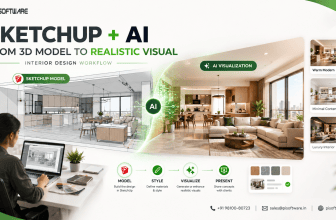
- AI-assisted exploration — SketchUp Diffusion generating stylistic and material variations for client discussion before committing to detailed development.
- Documentation — LayOut converting models directly into presentation-ready drawings and boards, referencing the live model rather than requiring a separate redraw.
- Collaboration and delivery — Trimble Connect Business enabling cloud-based reviews and iteration with clients and project teams.
SketchUp Pro, LayOut, 3D Warehouse, Trimble Connect, Diffusion, and Scan
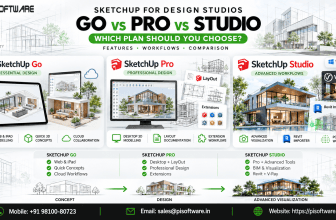
- SketchUp Pro — the core modeling environment, fast enough for concept-stage iteration without sacrificing the precision needed as design develops.
- LayOut — construction and presentation documentation built directly from the model, keeping drawings and boards aligned with the latest design iteration automatically.
- 3D Warehouse — a library of pre-built models and components accelerating concept development without modeling every element from scratch.
- Trimble Connect — cloud collaboration keeping clients, consultants, and project teams reviewing the same current model and presentation materials.
- SketchUp Diffusion — AI-assisted concept generation for rapid stylistic and material exploration during early design conversations.
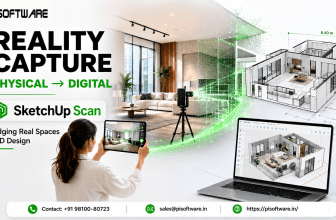
- SketchUp Scan — reality capture integration bringing existing-conditioned data directly into the modeling workflow for renovation and retrofit projects.
AI-Assisted Concept Generation
SketchUp Diffusion lets designers generate stylistic variations and material explorations from an existing model quickly — useful specifically for the early client conversation stage, where the goal is aligning on direction before investing time in detailed development. This is concept exploration, not production-ready output: the value is compressing the “which direction do you prefer” conversation from days of manual variation-building into a single working session.
Real-Time Collaboration and Cloud Workflows
Trimble Connect keeps concept and presentation materials centrally accessible to everyone who needs to review them — clients, consultants, and internal team members working from the same current version rather than emailing files back and forth and losing track of which version is current. For distributed project teams or clients who want to review materials asynchronously, this cloud-based access directly reduces the back-and-forth that slows approval cycles.
AR/VR Presentation Capabilities
Immersive walkthroughs — via AR/VR integration with SketchUp models — give clients a spatial understanding of a design that flat renders and drawings can’t fully convey, particularly valuable for clients unfamiliar with reading architectural plans. For projects where spatial scale or flow is a key design decision point, an AR/VR walkthrough can resolve client uncertainty faster than multiple rounds of 2D presentation and written feedback.
Enterprise Licensing and Collaboration Benefits
For design studios scaling beyond a single practitioner, SketchUp Pro licensing considerations include:
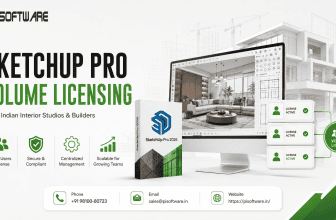
- Team licensing — multi-seat deployment supporting consistent tooling across a growing studio.
- Collaboration licensing — Trimble Connect access scaled to the team size actually collaborating on live projects.
- Add-on tools — SketchUp Diffusion, Scan Essentials, and rendering integrations licensed to match actual workflow needs rather than a one-size-fits-all bundle.
Conclusion:
SketchUp’s evolution from a modeling tool into a connected concept-to-presentation platform reflects where the real competitive advantage in design work sits not in producing the most detailed model, but in getting a client to a confident, informed approval as quickly as possible. Why an Authorized SketchUp Reseller Adds Value?
- Licensing guidance mapped to actual studio size and workflow
- Onboarding and workflow training
- Ongoing local support
- Accurate, current India pricing
Contact an Authorized Reseller for onboarding support and current pricing.
Frequently Asked Questions
1. Why is SketchUp described as a presentation platform rather than just a modeling tool?
Because its ecosystem — Pro, LayOut, Trimble Connect, Diffusion, and rendering integrations — is built to keep concept development and client presentation in one connected workflow, directly reducing the time between first sketch and client approval.
2. What is SketchUp Diffusion used for?
AI-assisted generation of stylistic and material variations from an existing model, useful for rapid concept exploration during early client conversations.
3. Is SketchUp suited to landscape design presentations specifically?
Yes — combined with Twin motion or Lumion’s strong environmental rendering, SketchUp supports concept-to-presentation workflows well suited to site and landscape context.
4. What’s the benefit of buying SketchUp Pro through an authorized reseller instead of directly?
Authorized resellers provide licensing guidance matched to actual studio needs, onboarding support for the full workflow (not just the modeling tool), and local support for renewals and technical questions.
5. How does SketchUp Scan fit into a concept-to-presentation workflow?
For renovation and retrofit projects, Scan brings accurate existing-conditions data directly into the modeling workflow, keeping concept development grounded in verified site data from the start.