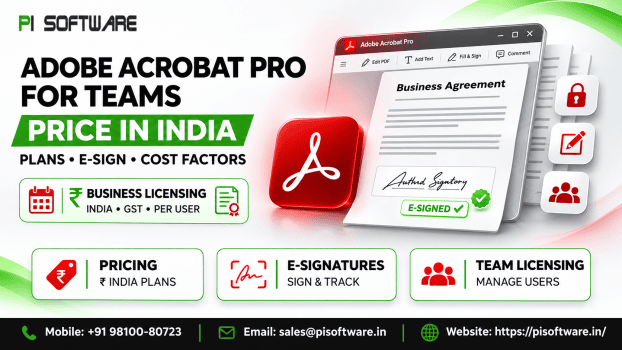
Adobe Acrobat Pro for Teams Price in India: Plans, E-Sign and Cost Factors
If you’re searching for the Adobe Acrobat Pro for teams price in India, there’s a bigger question worth asking: what can this subscription do for your organization?
Adobe Acrobat Pro for teams combines advanced PDF editing, electronic signatures, document security and centralized license management. For Indian businesses that regularly handle contracts, financial records, client proposals and approval documents, these tools can make every day work more organized and easier to manage.
Choosing the right subscription, however, isn’t simply about getting every available feature. It’s about understanding which employees need advanced PDF tools, how your documents move between departments, and whether the built-in e-signature capabilities can support your business processes.
Which Acrobat option fits your team?
| Situation | Best option | Why |
| Everyday PDF editing and simple e-signing for a small team | Acrobat Standard for teams | Covers editing, signature requests, tracking and the Admin Console without extras |
| Regular signature rounds, shared templates, redaction, scanned documents | Acrobat Pro for teams | Adds bulk send, reusable templates, redaction and scan-to-editable conversion |
| Signing tied to CRM or HR systems, advanced signer authentication, workflow automation | Acrobat Sign Solutions | Built for integrations, automation and stronger compliance options |
Adobe’s international business page lists all three. Its India business page focuses on Pro for teams, so ask us which tiers are in the current India range when you request a quote.
What should you check before buying it?
- Users: Count creators, approvers and occasional signers separately. Only people who edit or send need a license.
- Devices: Adobe describes Acrobat Pro working across desktop, web and mobile, and connecting with Microsoft 365, Google Drive and Dropbox.
- Usage: how many documents go out for signature each week, and to how many people at once.
- Compliance: whether your documents need redaction, passwords or stricter signer checks. No tool guarantees legal or regulatory compliance, so ask your legal adviser what your document types require.
- Budget: plan for licenses, billing choice, GST and any add-ons across the whole term, not only the first invoice.
What does Acrobat Pro for teams include?
Adobe’s business pages describe these groups of features.
PDF editing. Create, edit, convert, export, organize and combine PDFs. Pro adds more than 70 advanced tools, including document comparison, redaction, scan-to-editable conversion, web form creation, and PDF/A and accessibility checks.
E-signature. Request signatures, track multiple signers, send in bulk, reuse signable templates, and apply your brand to requests. Standard keeps the core: collecting signatures, real-time tracking, notifications, audit trails and fill-and-send forms, but not bulk send or reusable templates.
Administration. A central Admin Console lets you add, move, remove and reassign users, track licenses, and install and update apps from one place. Adobe also states that company documents stay with the company when an employee leaves.
Security. Password protection, access control and encryption for PDFs, plus redaction of sensitive content in Pro.
What is not included. The AI Assistant is not part of Standard or Pro for teams. Adobe offers it as an add-on or through Acrobat Studio.
How do teams use it day to day?
These five tasks are the ones this guide is built around.
- Assigning team licenses. The Admin Console handles adding and reassigning users, which matters when people join, leave or change roles.
- Editing and combining PDFs. Merging contracts, annexures, and supporting files into one document, then correcting text and images in place.
- Collecting signatures. Sending a document, tracking who has signed, and following up from one place.
- Managing approvals. Adobe describes shared access, real-time review, comments, and approval of documents.
- Using shared templates. In Pro, reusable signable templates mean the same agreement layout does not have to be rebuilt each time.
Acrobat Pro for teams vs Acrobat Sign Solutions: What is the difference?
Acrobat Pro for teams is a PDF and e-signature subscription for everyday teamwork. Acrobat Sign Solutions is Adobe’s dedicated e-signature product for larger or more regulated workflows, with deeper integrations, automation and signer authentication.
Takeaway: Pro for teams covers most small-team signing; Sign Solutions is for scale, integration and control.
| Capability | Standard for teams | Pro for teams | Acrobat Sign Solutions |
| Bulk send | Not included | Included | Included, higher recipient limit |
| Reusable templates | Not included | Included | Included, with shared library |
| Advanced PDF tools (redaction, scan-to-editable) | Not included | Included | Not the focus |
| Integrations | Basic | Microsoft and Box | Extensive prebuilt integrations and APIs |
| Workflow automation and advanced authentication | No | No | Yes |
Adobe’s published comparison lists bulk send of up to 50 recipients at a time with Acrobat Pro and up to 300 with Acrobat Sign Solutions. Sign Solutions also adds web forms, payments, branding controls and advanced routing.
Are the e-signature tools in Pro for teams enough? If you send agreements, forms and approvals to a manageable number of people and do not need system integrations or workflow automation, usually yes. If signatures must flow in and out of other business systems, or you need stricter signer verification, evaluate Sign Solutions.
Plan walkthrough: honest pros and cons
Acrobat Standard for teams
- Pros: covers editing, signature requests, tracking and audit trails; Admin Console; lower feature load for simple needs.
- Cons: no bulk send, reusable templates, redaction or scan-to-editable conversion.
Acrobat Pro for teams
- Pros: the fuller PDF toolset, bulk send, reusable templates, multi-signer tracking, brand customization and Microsoft and Box integrations.
- Cons: includes tools some staff will never use; AI Assistant is a separate add-on.
Acrobat Sign Solutions
- Pros: integration, automation, advanced authentication, and higher volume.
- Cons: a larger commitment than a 10-50 user team may need, and it is a separate e-signature product rather than a PDF editor.
How is the Adobe Acrobat Pro for teams price in India worked out?
Think about the components, then ask for a written quote.
- Licenses: priced per license, so your headcount drives the total.
- Billing choice: Adobe lists an annual plan billed monthly and an annual prepaid option. Prepaying affects cash flow; billing monthly spreads it.
- GST: Adobe’s India business prices are shown excluding GST, so add it when you budget. A GST invoice is issued on every PI Software order. Ask your tax adviser about input credit.
- Add-ons: the AI Assistant, if your team wants it.
- Renewal: confirm the renewal terms in writing before you commit.
| Year | What to calculate |
| Year 1 | Licenses × rate, plus GST, plus any add-ons |
| Year 2 | Licenses after joiners and leavers × the renewal rate, plus GST |
| Year 3 | Same again, with any plan change such as moving some users to Standard or Sign Solutions |
Conclusion:
Adobe Acrobat Pro for teams is a strong choice for organizations that regularly create, edit, protect and approve important documents.
Its value comes from combining everyday PDF work with advanced editing, electronic signatures, and centralized license administration.
At PI Software, we help Indian businesses explore genuine Adobe software products licensing options that match their requirements with genuine, vendor-issued licences, GST invoices, renewal reminders and assistance through phone, email or WhatsApp.
Frequently Asked Questions
1. What is the Adobe Acrobat Pro for teams’ price in India?
Adobe lists it per license on an annual plan, billed monthly or prepaid for the year, with India business prices shown excluding GST. Request a quote from PI Software for the current rupee rate for your license count, with a GST invoice.
2. Is the listed price inclusive of GST?
No. Adobe’s India business prices are shown excluding GST, so GST is added on top. PI Software issues a GST invoice on every order; speak to your tax adviser about input credit.
3. What is the difference between Acrobat Pro for teams and Acrobat Sign Solutions?
Acrobat Pro for teams combines PDF editing with everyday e-signature features. Acrobat Sign Solutions is a dedicated e-signature product with deeper integrations, workflow automation, and advanced signer authentication.
4. Does Acrobat Pro for teams include e-signatures?
Yes. Adobe lists signature requests, tracking, bulk send, reusable signable templates and brand customization in Pro teams.
5. Can one administrator manage all licenses?
Yes. The Admin Console lets an administrator add, move, remove and reassign users and track licenses from one place.